Write a Fan Story to Your Favorite Artist 💌
Hello everyone! This is the LiNC Official Blog team 🌟
Have you ever thought, "I want to share an even more personal and special message with my favorite artist"? We have great news! We’ve just launched "Fan Story," a new feature designed to make those wishes come true.
In this post, we’ll dive into what Fan Story is, how to use it, and the community guidelines.
💌 What is Fan Story?
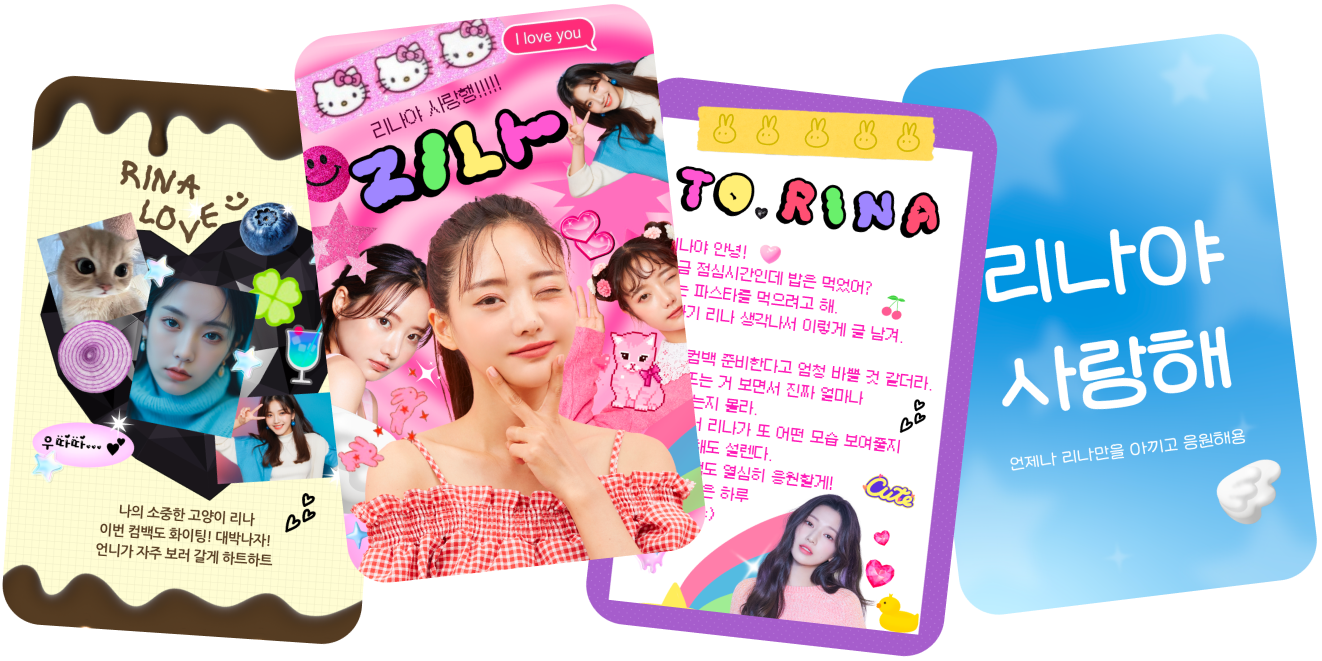
Fan Story is a premium messaging feature that allows you to send personalized texts and images directly to your favorite artists.
Unlike standard chats, Fan Story lets you craft a unique narrative just for them. Plus, when the artist views your message, you’ll receive a "Read Receipt" notification!
- Requirements: Available on LiNC App version 5.0.0 or higher.
- Eligibility: Any fan currently in the artist’s Private Chat room can use this feature.
1. How to Send a Fan Story
You can find the Fan Story icon on the left side of the input bar within the artist's chat room.
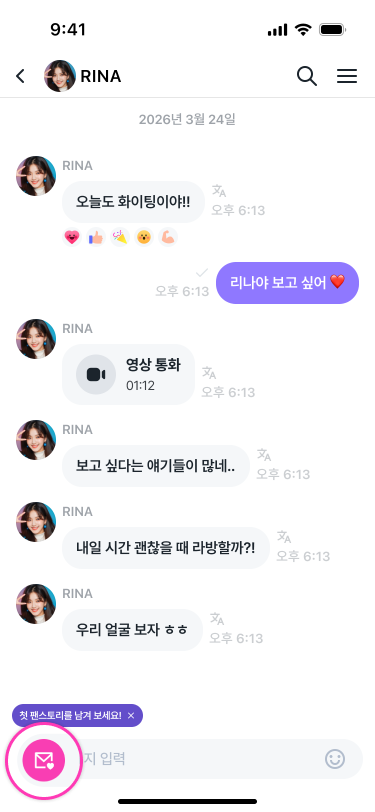
【Step-by-Step Guide】
- Enter the artist's Private Chat room.
- Tap the "Fan Story Icon" located to the left of the message input bar.
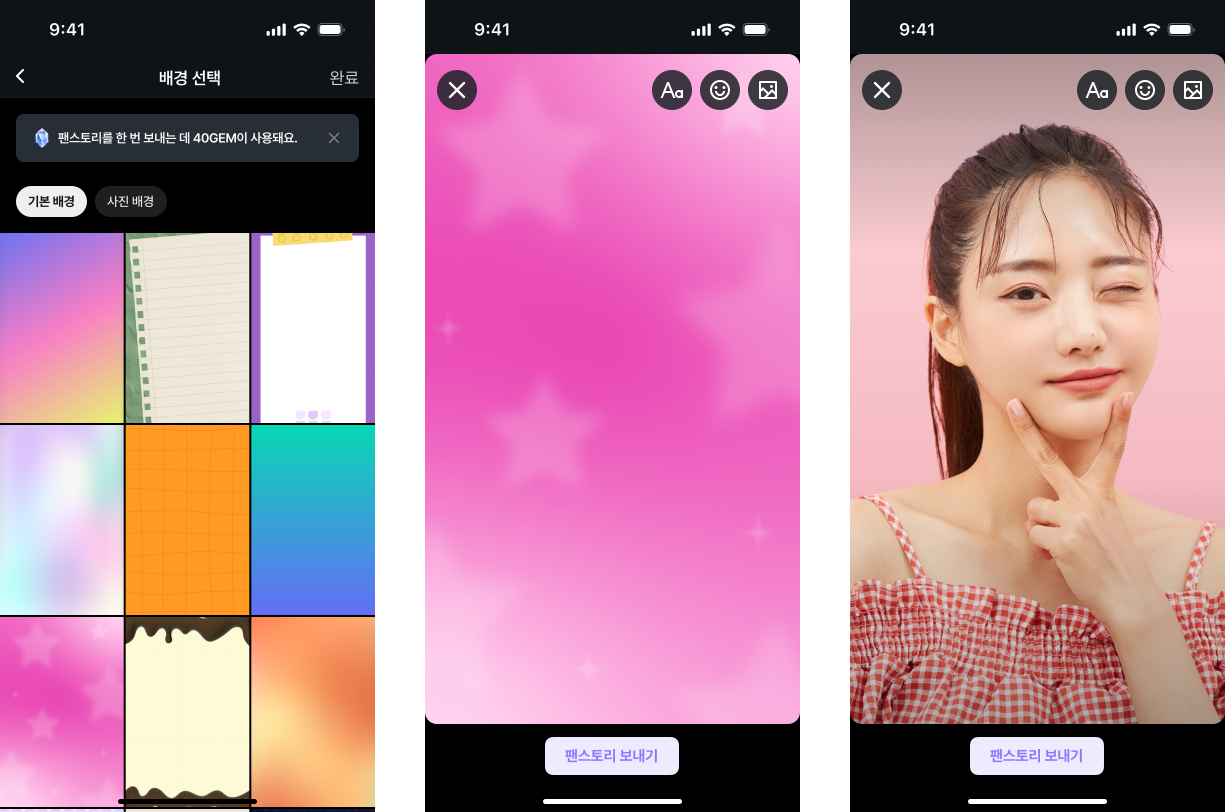
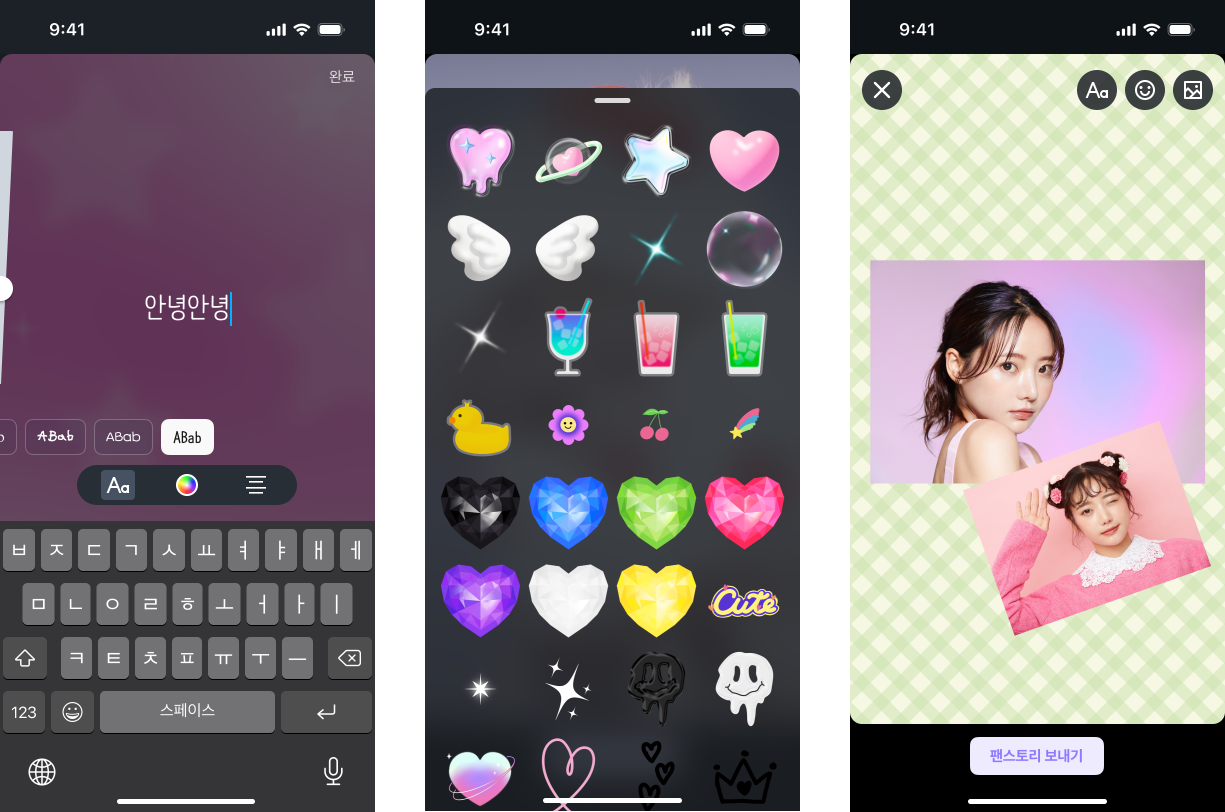
- Type your message or use the "Decoration" tool to attach images.
- Hit the [Send Fan Story] button, and you’re all set!
【Decoration Features】
- Attach multiple images (Max 40MB per file).
- Personalize your story with stickers, images, and custom text.
- Note: Fan Stories are sent one at a time.
2. Pricing (Using GEMs)
Each Fan Story costs 40 GEMs (approximately 500 JPY / $3.50 USD).
- If you need more GEMs, you can top up via [More → Recharge GEM].
- Please check your GEM balance before sending.
- Refund Policy: Once sent, Fan Stories are non-refundable. GEMs will not be refunded if a message is deleted for violating our community policies.
3. Tracking Your Message
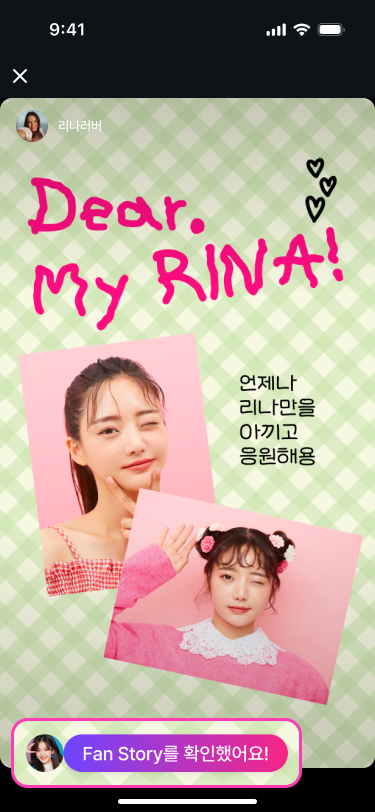
Once your favorite artist reads your Fan Story, you'll know!
- You will receive a notification stating, "The artist has viewed your Fan Story."
- This notification will appear in the chat room and via push notification.
- A read receipt (the artist's profile icon) will appear on the specific Fan Story.
- Note: This feature does not include a direct reply from the artist. The notification serves as confirmation that your message was received and read.
【How to View History】
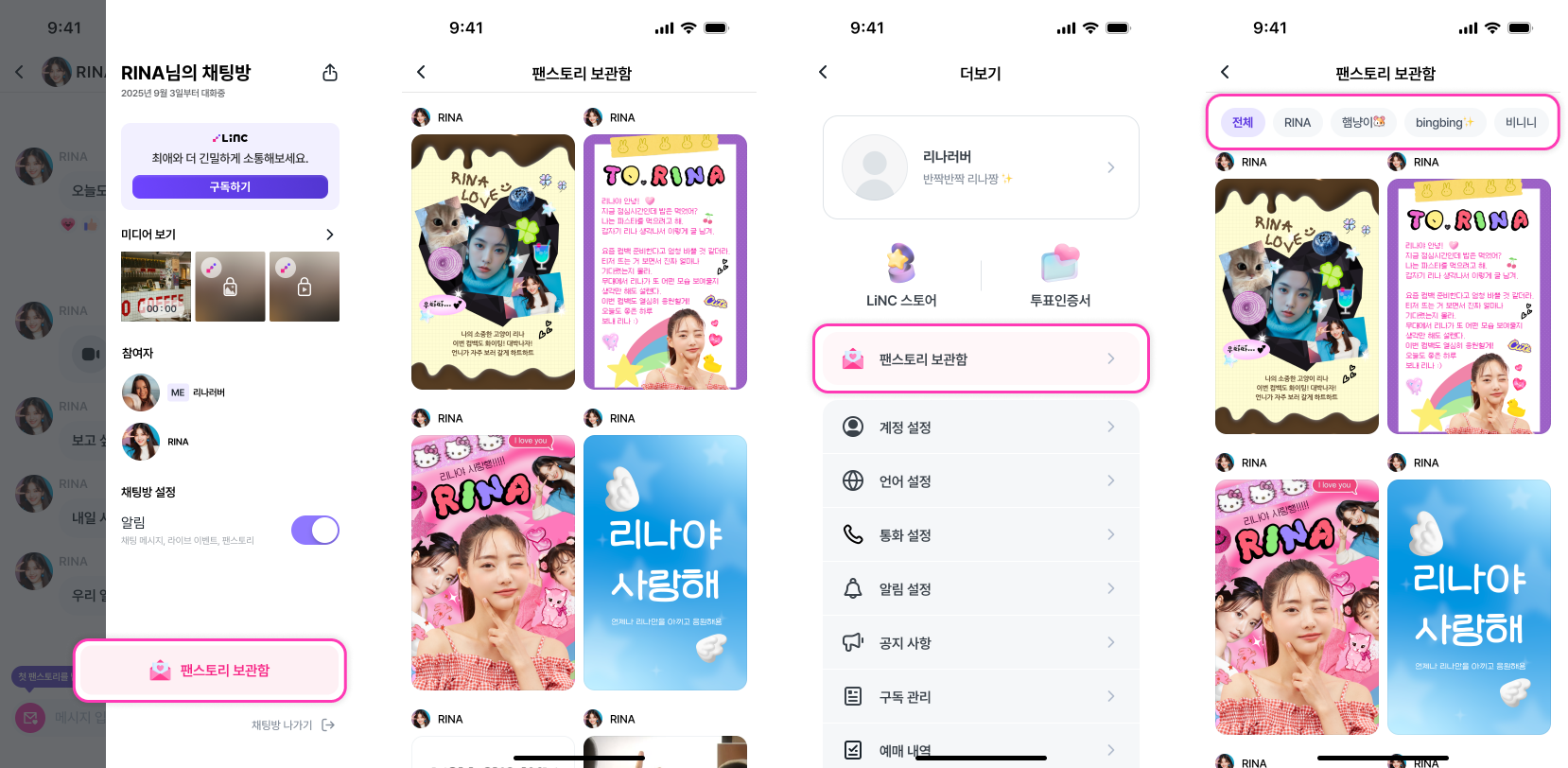
Check your past messages in the "Fan Story Archive":
- Chat Room Menu (☰) → [Fan Story Archive]: View stories sent to that specific artist.
- More → [Fan Story Archive]: View all stories sent across all artists.
4. Guidelines & Community Policy
- Fan Stories are sent individually (one per transmission).
- Refer to Section 2 for pricing and refund policies.
- Images must be under 40MB per file.
- Prohibited Content: Messages containing profanity, hate speech, or copyright-infringing images are subject to removal and account sanctions according to our policy.
- Safety: Inappropriate content (including nudity, violence, or sexually explicit material) is strictly prohibited.
- While artists can view all Fan Stories, they are not obligated to reply individually.
- If you encounter any issues, please contact our Customer Support within the app.
Closing
"Fan Story" is more than just a message—it’s a way to express your feelings through text, images, and creativity. We hope this new tool helps deepen the bond between you and your favorite artists!
Thank you for being part of the LiNC community 🌟
